

A Linux DAW, Part 1: Introduction
Saving a computer from the landfill.

I recently found the long-lost power cable for my 2011 13” Macbook Pro 8,1. After charging it up, I decided that instead of installing High Sierra (the highest operating system available for this computer), I would try installing a Linux distribution and use it as a DAW for home recording.
The Linux operating system is an odd beast. There isn’t ONE Linux. Technically, Linux is a kernel; software that has complete control over the computer system. Since it’s open source, anybody can use the Linux kernel to create a complete operating system. This is why there are so many “flavors” (aka distributions) of Linux: Ubuntu, Fedora, Arch and many many more. Each one is a little different, but in the end you simply have a desktop computer that works great, is secure and completely free.
At least, it works great most of the time. I have been having issues here and there. Part user error, part hardware compatibility. But in the end, I was able to install Ubuntu Studio, a distribution that is geared towards Audio Production, Video, Graphic Design and Photography, with most useful programs pre-installed.
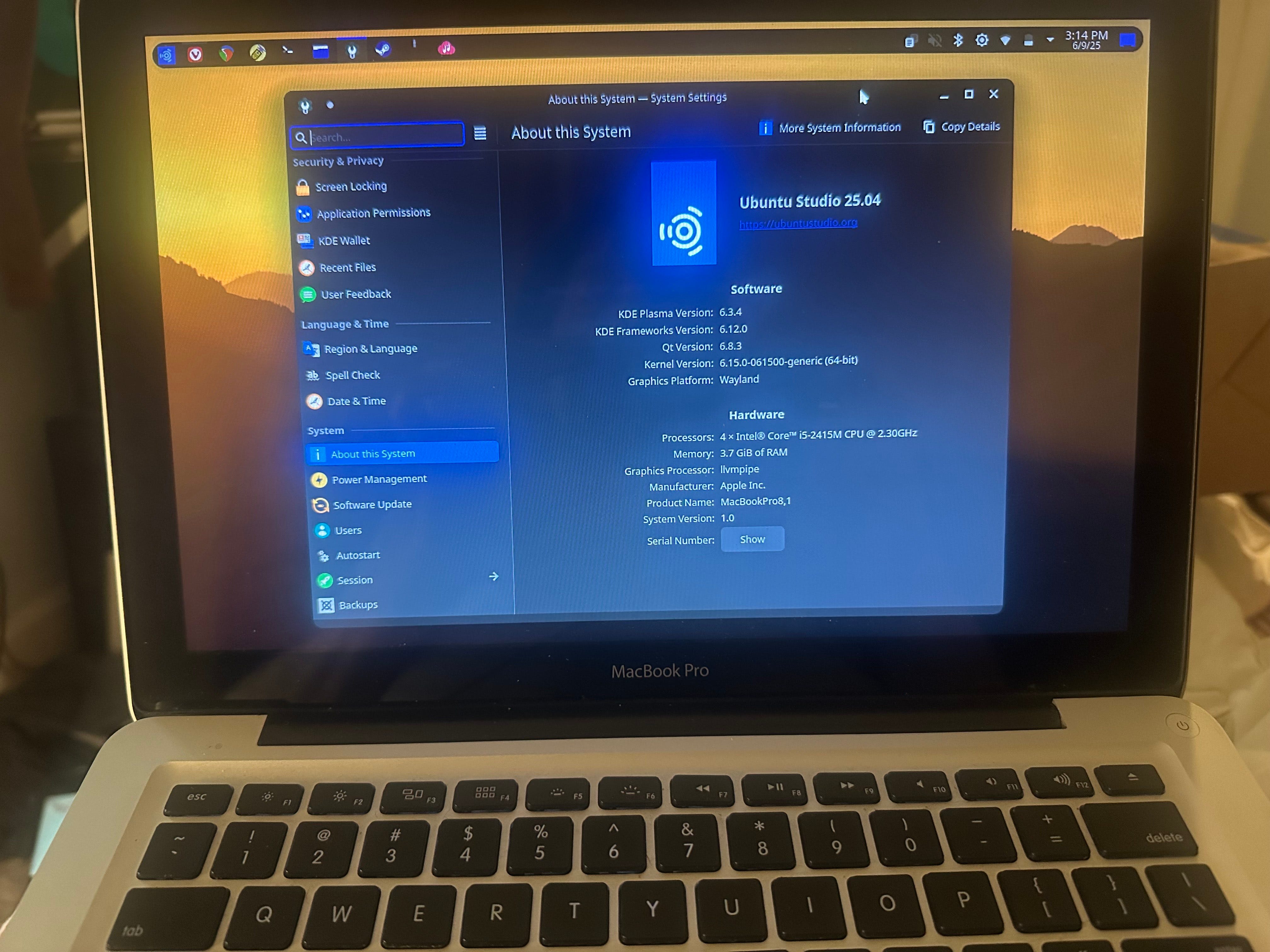
I had planned on one big article about turning this Macbook Pro into a Linux DAW. But considering how long it’s taken me to sort out problems, I’ll write installments as I go.
Choosing A Linux Distribution
I originally installed Lubuntu on this laptop, a light-weight operating system that runs on older machines with ease. I soon found out that getting anything to work would take some doing. For example, I had no wireless available after installation, and the only way I could run updates or download drivers was to connect directly to the router. It would also take a lot of work to install all the audio apps I will need.
While I enjoyed Lubuntu, I ultimately decided on Ubuntu Studio. I am familiar with Ubuntu from previous dives into the Linux world, and would be able to get things done without relearning a whole new system. Thankfully, the wireless worked immediately without hassle.
I briefly considered AV Linux, which is similar to Ubuntu Studio, but with (to me) a major difference: AV Linux comes with WINE preinstalled, and I did not want to use WINE.
WINE - Running Windows Applications on Linux
In my past dalliances with Linux, I have installed WINE. It’s a compatibility layer that allows one to run Windows applications on Linux or MacOS. Many Linux DAW users will install WINE so that they can use their Windows VST plugins in their DAW. However, it does have its issues. Some apps won’t run, or require additional configuration. And if WINE is updated, there’s a good chance that all the Windows apps will stop working.
For my Macbook Pro, I decided to go all Linux native. Only Linux compatible plugins and software. Thankfully, my favorite DAW, REAPER, is available for Linux. There are plenty of plugins that come with REAPER, so I will have everything I need for a home studio.
Next Time on A Linux DAW…
For this series of articles, I’m going to document my journey. I will save all the headaches and problems I experienced for the last installment.
Next time, I will discuss hardware; specifically, getting an interface to work on Linux.